


In the previous tutorial, I introduced you to Spring Cloud Stream with a binding mechanism that easily allows us to send and receive messages to any message broker automatically. If you want to send messages to a message broker manually, you can use Spring Cloud Stream’s StreamBridge class by ingesting its bean and using its send() method to send messages. For example:
|
1 2 3 4 5 6 7 8 9 10 11 12 13 14 15 16 17 18 19 20 21 22 23 24 25 26 27 28 29 30 31 32 33 34 35 |
package com.huongdanjava.springcloudstream; import java.util.function.Consumer; import org.springframework.beans.factory.annotation.Autowired; import org.springframework.boot.CommandLineRunner; import org.springframework.boot.SpringApplication; import org.springframework.boot.autoconfigure.SpringBootApplication; import org.springframework.cloud.stream.function.StreamBridge; import org.springframework.context.annotation.Bean; @SpringBootApplication public class SpringCloudStreamRabbitmqExampleApplication { @Autowired private StreamBridge streamBridge; static void main(String[] args) { SpringApplication.run(SpringCloudStreamRabbitmqExampleApplication.class, args); } @Bean CommandLineRunner runner() { return args -> { streamBridge.send("sendSupplier-out-0", "Hello World"); }; } @Bean public Consumer<String> receiveConsumer() { return message -> { System.out.println("Received: " + message); }; } } |
There are two parameters in the send() method, as you can see above:
- The first parameter is the logical binding name that you configure in the application.yaml file, as I shared with you in the previous article:
|
1 2 3 4 5 6 7 8 9 |
spring: cloud: stream: bindings: sendSupplier-out-0: destination: message.exchange receiveConsumer-in-0: destination: message.exchange group: huongdanjava |
With the above configuration, Spring will automatically bind the “logical binding name” that you passed in the send() method to the exchange in RabbitMQ, allowing Spring to send messages!
- The second parameter is the message you want to send.
The result when I run my example is as follows:
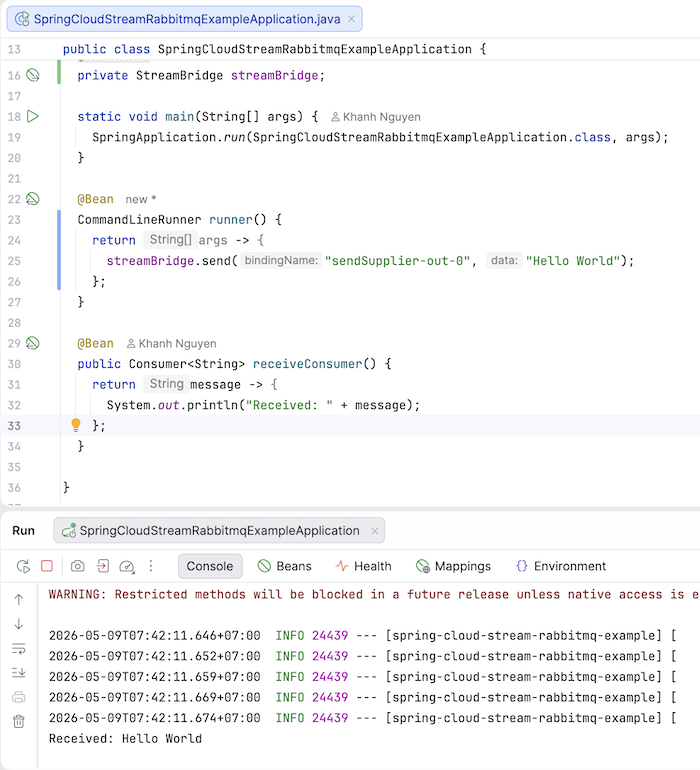
If you pass the binding name incorrectly, for example:
|
1 |
streamBridge.send("sendSupplier1-out-0", "Hello World"); |
then an exchange will also be initialized in RabbitMQ:
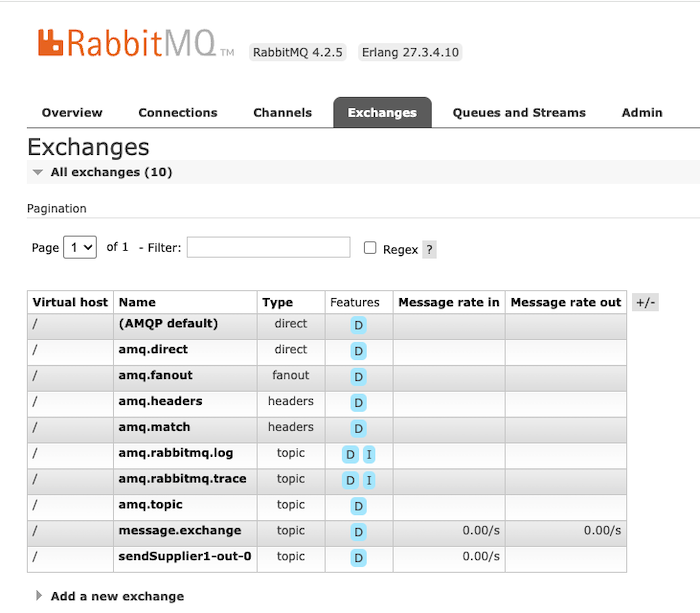
but because there’s no queue information, any messages you send will be lost!
See more in the video here: