


Spring Cloud Stream supports consumer routing, allowing us to decide which consumer will consume messages sent by a particular producer. We can route messages using message headers, payload content, or header content with expressions. Let’s explore this in detail in this tutorial!
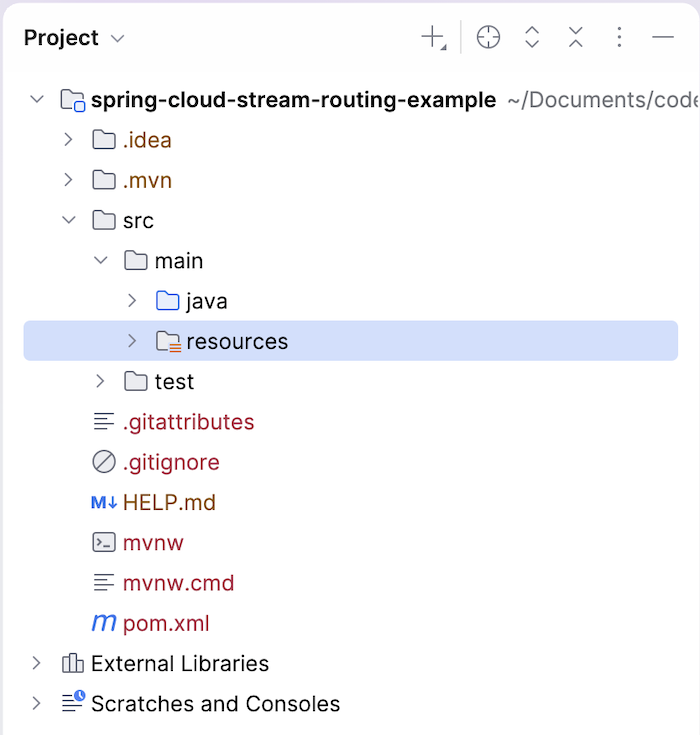
First, we’ll create a new Spring Boot project with the Cloud Stream dependency as follows:
Similar to the previous tutorial, we also add the Spring Cloud Starter Stream Rabbit dependency:
|
1 2 3 4 |
<dependency> <groupId>org.springframework.cloud</groupId> <artifactId>spring-cloud-starter-stream-rabbit</artifactId> </dependency> |
and define the RabbitMQ information in the application.yml file as follow:
|
1 2 3 4 5 6 |
spring: rabbitmq: host: localhost port: 5672 username: guest password: guest |
To use consumer routing with Spring Cloud Stream, enable it by defining the following properties:
|
1 2 3 4 5 6 |
spring: cloud: function: routing: enabled: true definition: functionRouter |
By enabling this routing, Spring will automatically create a Function interface bean named functionRouter and a logical binding name functionRouter-in-0. You can use this logical binding name to bind to the exchange with the queue in RabbitMQ, and when a message is received by this functionRouter bean, it will route the message to the consumer we want.
I will define the binding for sending and receiving messages as follows:
|
1 2 3 4 5 6 7 8 9 |
spring: cloud: stream: bindings: sendMessage: destination: message.exchange functionRouter-in-0: destination: message.exchange group: huongdanjava |
As you can see, I’m using the StreamBridge class to send messages with the binding name sendMessage, and I’ve also defined two consumers that can consume messages using the Consumer interface as follows:
|
1 2 3 4 5 6 7 8 9 10 11 12 13 |
@Bean public Consumer<String> receiveConsumer1() { return message -> { System.out.println("Received in consumer 1: " + message); }; } @Bean public Consumer<String> receiveConsumer2() { return message -> { System.out.println("Received in consumer 2: " + message); }; } |
Routing using message header
To route using message headers, use the MessageBuilder class to build the message as follows:
|
1 2 3 4 |
Message<String> message = MessageBuilder .withPayload("Hello World") .setHeader("spring.cloud.function.definition", "receiveConsumer1") .build(); |
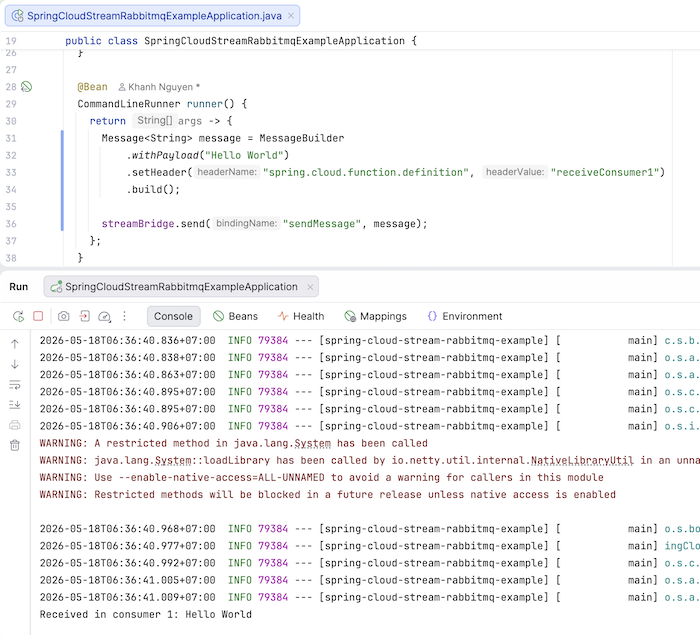
The payload is the message we want to send. In the header, you must pass the header name spring.cloud.function.definition with the header value being the name of the consumer bean that you want to receive the message. In this example, I’m configuring it as receiveConsumer1, as you can see!
I also defined the bean of the CommandLineRunner interface to send messages using the StreamBridge class as follows:
|
1 2 3 4 5 6 7 8 9 10 11 |
@Bean CommandLineRunner runner() { return args -> { Message<String> message = MessageBuilder .withPayload("Hello World") .setHeader("spring.cloud.function.definition", "receiveConsumer1") .build(); streamBridge.send("sendMessage", message); }; } |
Now, if you run the application, you will see the following result:
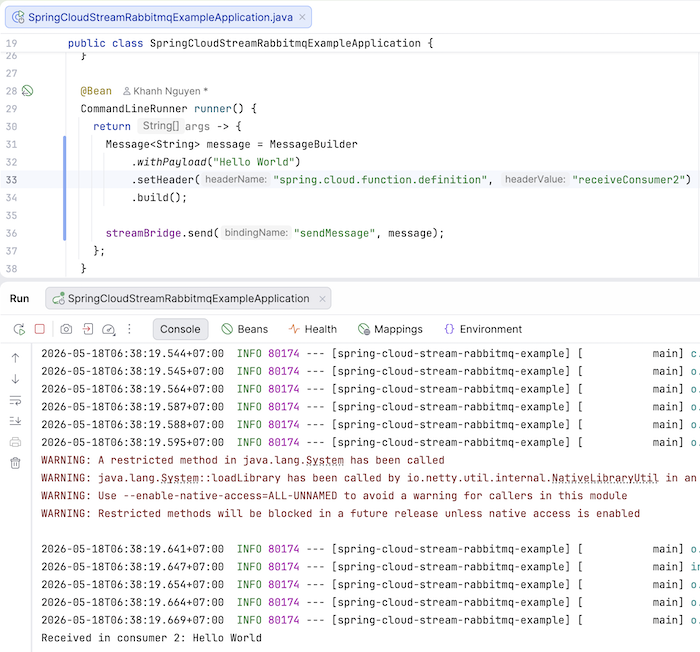
If you change the header value of the header name spring.cloud.function.definition to receiveConsumer2, you will see the message received from receiveConsumer2 as follows:
Routing using expression
To route with expressions, you can use the spring.cloud.function.routing-expression property, for example:
|
1 2 3 4 5 6 7 8 9 10 11 12 13 14 |
spring: cloud: function: routing: enabled: true definition: functionRouter routing-expression: "new String(payload).contains('2') ? 'receiveConsumer2' : 'receiveConsumer1'" stream: bindings: sendMessage: destination: message.exchange functionRouter-in-0: destination: message.exchange group: huongdanjava |
so, if you send a message containing the number 2:
|
1 2 3 4 5 6 7 8 9 10 |
@Bean CommandLineRunner runner() { return args -> { Message<String> message = MessageBuilder .withPayload("Hello 2) .build(); streamBridge.send("sendMessage", message); }; } |
then you will see the following result:
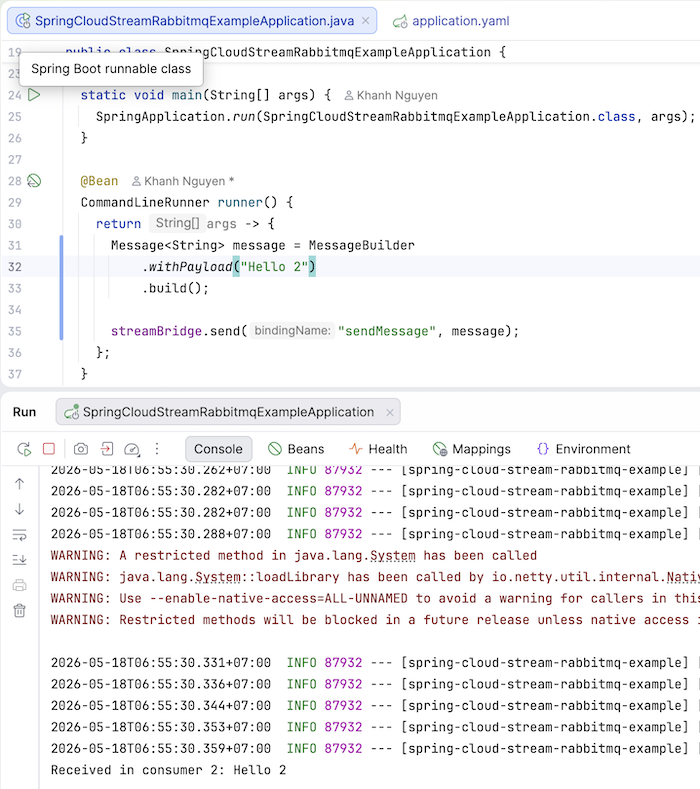
Change the message payload to “Hello 1” and you’ll see that consumer 1 receives the message!
You can also define expressions with the message header, for example:
|
1 2 3 4 |
spring: cloud: function: routing-expression: "headers['eventType']" |
khi đó, các bạn chỉ cần truyền message header eventType với giá trị là tên của consumer sẽ nhận message là được:
|
1 2 3 4 5 6 7 8 9 10 11 |
@Bean CommandLineRunner runner() { return args -> { Message<String> message = MessageBuilder .withPayload("Hello World") .setHeader("eventType", "receiveConsumer1") .build(); streamBridge.send("sendMessage", message); }; } |
So, in this tutorial, I’ve shown you how to route messages to specific consumers. Use them appropriately depending on your needs!
Watch the video here: