


In the previous tutorial, I introduced you to Spring for Apache Kafka and Apache Kafka Streams. I also showed you how to use the KStream class to consume and apply some operations to stream messages. Besides the KStream class, Spring for Apache Kafka Streams also has the KTable class, which holds the latest value of a key. You can publish multiple messages with the same key; KTable helps us retrieve the latest value of that key. How exactly does that work? Let’s find out in this tutorial!
I will use the example project from the previous tutorial as an example for this tutorial.
The KTable class works like a table with two columns: key and value. For example, I publish several messages in the following order:
| Key | Value | |
|---|---|---|
| 1 | 100 | A |
| 2 | 200 | B |
| 3 | 100 | C |
Then KTable will hold the latest values of the keys as follows:
| Key | Value |
|---|---|
| 100 | C |
| 200 | B |
In the example above, the message with key 100 is published twice. KTable will record the latest value of 100, which is C!
You can consume messages and use KTable to record the latest value of the message key by declaring a bean of the KTable class as follows:
|
1 2 3 4 5 6 7 8 |
@Bean public KTable<String, String> customers(StreamsBuilder builder) { KTable<String, String> customers = builder.table("customers"); customers.toStream().foreach((key, value) -> System.out.println(key + " -> " + value)); return customers; } |
We use the table() method of the StreamsBuilder class along with the topic name to instantiate an object of the KTable class. In the example above, every time a new message is published to the customers topic:
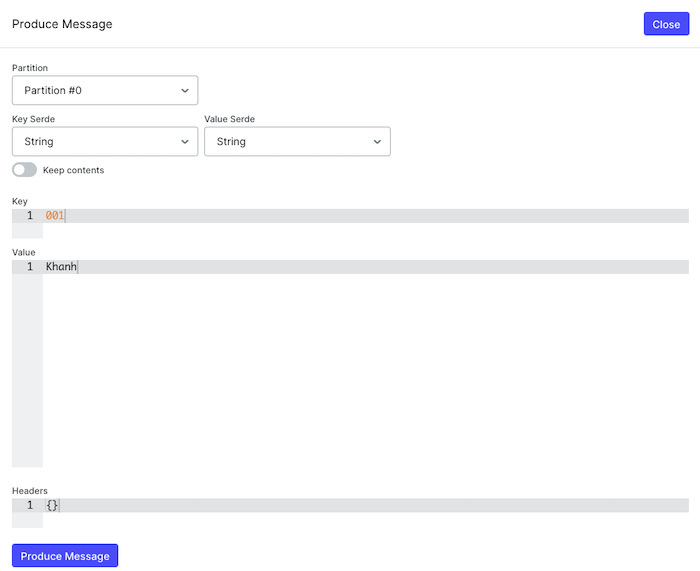
a message with a key and value will be printed to the console as follows:
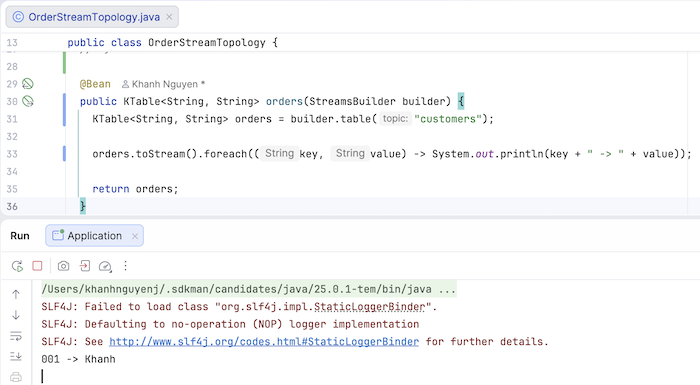
You can count the number of messages with the same key published in a topic as follows:
|
1 2 3 4 5 6 7 8 |
@Bean public KTable<Object, Long> customers(StreamsBuilder builder) { KTable<Object, Long> customers = builder.stream("customers").groupByKey().count(); customers.toStream().foreach((key, value) -> System.out.println(key + " : " + value)); return customers; } |
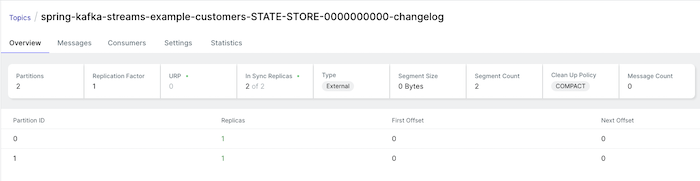
Now, running the example again, you will see that a new Kafka changelog topic has been created in Apache Kafka:
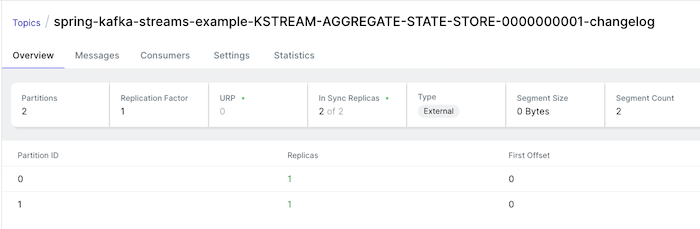
This Kafka changelog topic is used to rebuild the state of message keys in case of disk storage issues!
In the application console, you’ll also see some warnings about the RocksDB library:
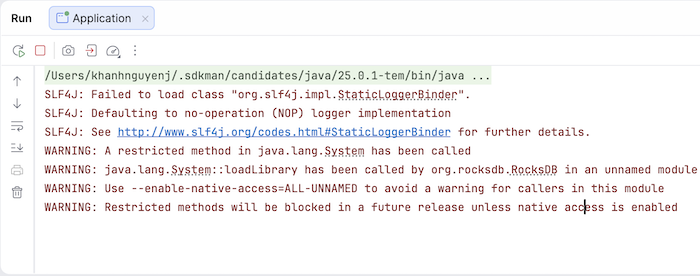
Essentially, Apache Kafka Streams uses RocksDB to store the state of that data, allowing us to query the information we want. If RocksDB has problems, Apache Kafka Streams will rebuild the state based on the Kafka changelog topic I mentioned above.
Now, if I publish some more messages in the following order:
- key is 001, value is Khanh
- key is 002, value is Huong Dan Java
- key is 001, value is Khanh Nguyen
you will see the following result:
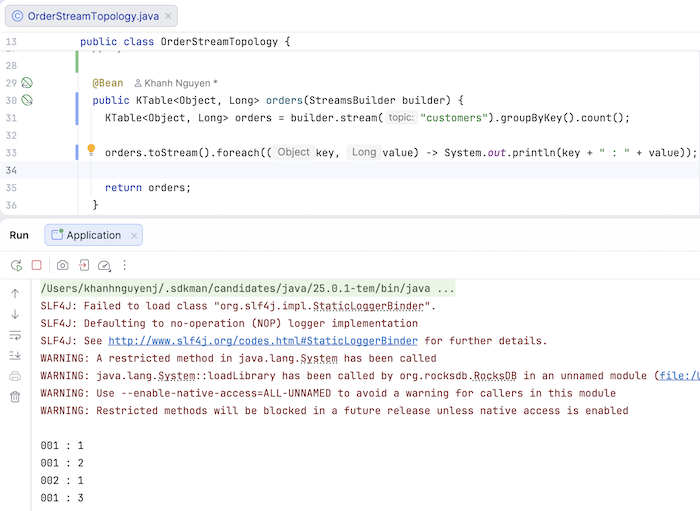
Adding the message I published earlier, the total number of messages for key 001 is 3 and for 002 is 1!
To demonstrate how the KTable holds the latest value of a key, I will use join() to join the messages from the two topics, customers and orders, as follows:
|
1 2 3 4 5 6 7 8 9 10 11 12 13 14 15 16 17 18 19 20 |
@Bean public KStream<String, String> orders(StreamsBuilder builder) { KTable<String, String> customers = builder.table("customers"); KStream<String, String> orders = builder.stream("orders"); orders .join( customers, (ValueJoiner<String, String, Object>) (orderName, customerName) -> { System.out.println( "Joining order: " + orderName + " with customer: " + customerName); return String.format("%s ordered %s", customerName, orderName); }, Joined.with(Serdes.String(), Serdes.String(), Serdes.String())) .to("enriched-orders"); return orders; } |
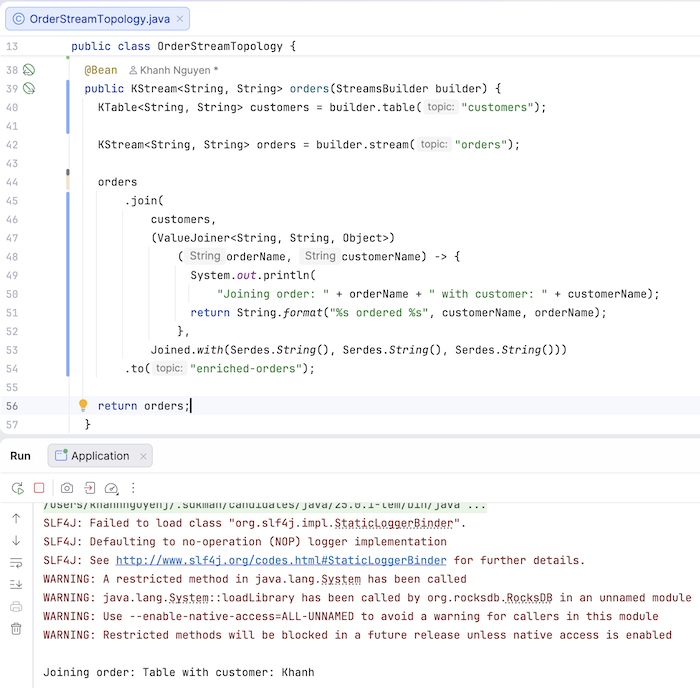
We will use KTable to get the latest value of a customer and KStream to consume and perform the join() operation on the order information. Similar to the database table, we will use the keys of the topics “customers” and “orders” to join. After joining, the result will be published to the enriched-orders topic!
Running this application, you will also see that a topic related to “customers” will be created as follows:
If you now run the application again and publish a message to the orders topic, for example, with the key ‘001’ and the value ‘Table’, you will see the following result:
A message was also published to the enriched-orders topic as follows:

If you update customer ‘001’ to ‘Khanh Nguyen’ by sending a message to the customers topic with the key ‘001’ and the value ‘Khanh Nguyen’, and then publish another message to the orders topic, you will see that the latest value of customer ‘001’ is used.
The result is as follows:
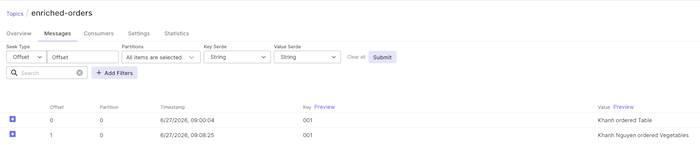
You can delete a key in a KTable by publishing a message with the same key but with a null value! In my example, after deleting the key ‘001’ in the KTable and publishing a message in the topic “orders”, you will no longer see any messages published in the enriched-orders topic!
You can watch the video here